
Every vendor in the AI coding space pitches the same three words: autonomous, productive and accessible. After six months of testing four of them across the same workflow, we’ve found that only one of those three words is true.
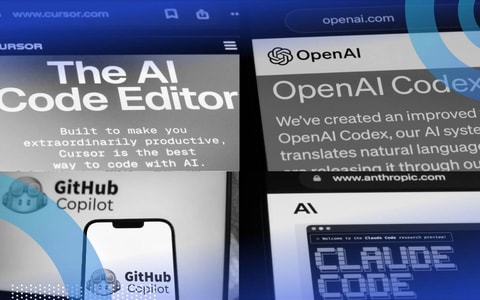
Four tools dominate the conversation right now: Claude Code, Cursor, Codex and GitHub Copilot. One recent analysis estimates that Claude Code alone is writing roughly four percent of new code on GitHub, with projections of 20 percent by year’s end. The question we keep getting is which one is best. That's the wrong question.
What matters is how a company’s developers actually work and whether they know good code when they see it. If they don’t, no tool in this category fixes anything; in fact, these tools are more likely to amplify problems instead. That’s what 25 years in software has taught us.
Claude Code, Codex, Cursor, Github Copilot: Which Is Best?
- Claude Code: Best for complex, multi-file planning and terminal-heavy workflows.
- Codex: The fire-and-forget choice for big, sandboxed refactors.
- GitHub Copilot: The enterprise winner for teams already on GitHub.
- Cursor: Great for IDE-based model switching, though it adds some UI clutter.
Testing Methodology
Fusion Collective ran each tool through the same test-driven development (TDD) loop we already use for human code: plan from requirements, build tests, write code, execute tests and iterate to completion. It’s a fairly standard process, which makes it a clean baseline for measuring productivity gains.
TDD does something useful when you point it at an AI coding tool. It forces the tool to commit to “done” before writing. The test is the contract. Either the code passes or it doesn’t, and the tool can’t talk its way out of red.
Vendor benchmarks measure isolated tasks in controlled conditions. A TDD loop measures whether a tool actually shortens the path from requirement to working code in a real codebase. The latest DORA 2025 report puts AI adoption around 90 percent, yet roughly 30 percent of developers report little or no trust in the code these tools generate. Lightrun’s 2026 survey found that 43 percent of AI-generated changes need debugging in production, and zero leaders surveyed described themselves as “very confident” in their AI-generated code. It’s clear that adoption is not the same as trust, but the two get conflated all the time.
Claude Code
Claude Code is Anthropic’s command-line coding tool. It runs in a terminal alongside a developer’s normal workspace and connects to Claude’s models, with a 1M-token context window. That means it can hold most of a codebase in memory at once.
Pros
Of the four, Claude Code has the strongest contextual awareness across an entire codebase. The tool asks clarifying questions before it starts writing. It is also the strongest at coordinating multiple AI agents working in parallel toward a single goal, which the others struggle with. Independent testing reported by Builder.io suggests Claude Code uses roughly 5.5x fewer tokens than Cursor on identical tasks. Take that number with a grain of salt, but the pattern was consistent with what we saw in the loop.
Claude Code is best for work that needs planning across the whole codebase: large refactors, features that span multiple files or any project where the planning matters as much as the writing.
Cons
Claude tends to occasionally go off on a wild goose chase, where it starts solving an adjacent problem the developer didn't ask it to solve. The bigger structural concern is reliability. Anthropic’s April 23rd postmortem on Claude Code documented three separate infrastructure bugs that degraded the tool over six weeks before rollback. The measured drop on Opus 4.6 went from 83.3 percent accuracy to 68.3 percent before it was caught. A team using Claude Code needs to expect quality drift and review accordingly.
Codex
Codex is OpenAI’s coding tool. Unlike Claude Code or Cursor, it runs primarily in a sandboxed cloud environment. That’s a separate workspace where the AI executes the task without direct access to the developer's local machine. The setup means a developer can hand off a defined task and review the result later instead of supervising it in real time.
Pros
Codex tends to outperform on larger, autonomous tasks. Refactoring is the clearest example. Comparative testing from Builder.io and NxCode puts it ahead in architectural problems that require a series of coordinated changes rather than a single discrete one. The sandboxed cloud environment is useful for fire-and-forget work. If a company already has a heavy OpenAI footprint, plugging Codex in is straightforward because the procurement and credentialing are already in place.
Codex is the right pick for big, well-defined work that a developer wants to hand off and check on later.
Cons
Codex’s tendency toward larger autonomous work is also where it can over-engineer. The further it gets from the developer’s last review point, the harder it is to recover when the path bends.
Cursor
Cursor is the only fully-integrated IDE in our comparison. It is a fork of VS Code, the most widely-used code editor in the field, which makes it instantly familiar to a lot of developers.
Pros
Cursor’s main structural advantage is hybrid model access. It uses its own model and provides pass-through access to Claude and OpenAI models. In practice, that means a developer can use either vendor’s models directly from Cursor’s interface without setting up separate accounts. Claude Code and Codex are both command-line tools that work alongside other IDEs, but they lock a developer into one vendor’s models. With Cursor, cross-provider access matters when one of those vendors breaks. The developer can switch models in the same interface without changing tools.
Cursor is the right pick for a developer who wants to stay in an IDE and switch between vendors’ models without leaving the workspace.
Cons
Cursor doesn’t outperform anyone on any single dimension. On planning, Claude Code is stronger. On autonomous reasoning, Codex is stronger. On code generation alone, the four tools are about the same. The downside of being a full IDE is that Cursor tends to clutter the workspace with self-management artifacts, including status bars, side panels and agent indicators, all of which add friction to a clean TDD loop. Finally, Cursor’s June 2025 credit-system rollout produced billing surprises and heavy-user overages.
Github Copilot
GitHub Copilot is GitHub’s AI coding tool. It is not the same product as Microsoft Copilot, even though GitHub is owned by Microsoft. Because they share a name, people conflate them often. Of the four, only GitHub Copilot is a serious option for AI-assisted code generation.
Pros
The clearest case for GitHub Copilot is for organizations already standardized on GitHub Enterprise. The integration is native and the procurement is already done, which makes it the simplest path to centrally managed AI coding access for a large team. Security, billing and compliance flow through tools the organization already uses. Copilot also supports a multi-model approach, which means developers can route requests to different vendors’ models from inside the same interface.
Cons
Because GitHub Copilot mostly passes requests through to other vendors’ models, it inherits whatever issues those vendors have. If Anthropic ships a regression, Copilot users feel it too. The handful of models GitHub does offer are usually a version behind the state of the art. For a developer choosing where to do their work, GitHub Copilot is mostly a different interface for the same models that a team could access elsewhere. The deciding question is administrative: Is your organization already on GitHub Enterprise?
The Final Verdict
On code generation alone, the four are about the same. The differences that matter are in how well a tool plans before writing, how often a vendor ships a regression that interrupts the developer’s work, and how well the tool fits a team’s existing IDE, model preferences and procurement.
A few patterns showed up regardless of which tool we were using: issues with accuracy (meaning the tool doing exactly what was asked, not adjacent things) and control (meaning the developer knowing what the tool changed). The actual failure mode is the tool editing code that was already working. A developer asks for one change, the tool makes that change plus three others and a regression slips into the codebase. The developer needs to be in charge, not the coding assistant.
Speed is what most developers shop for. It’s also the worst metric for choosing one of these tools. What feels fast or slow is mostly a function of how loaded the vendor’s servers are that day, not the quality of the model. The tool that feels slow this week may feel fast next week.
All four tools over-engineer, expanding the scope of a request beyond what was asked. Faros AI’s 2026 report on AI acceleration whiplash puts incidents per pull request (PR) up 242.7 percent and PRs merged without review up 31.3 percent. That’s what happens when nobody reviews the PRs. The fix is keeping the scope of each AI-assisted task small enough to actually review.
Every vendor in this category has shipped regressions in the last 12 months. “We shipped it and didn’t notice” is unforgivable, and every major vendor here has done exactly that.
How to Choose an AI Coding Tool
The cost of entry for every tool here is very, very low, which allows a developer to try most of them without a big commitment. A developer’s choice depends on their existing setup, the kind of work they do and which tool’s quirks they can live with.
For a solo developer, Claude Code is the cleanest pick. The terminal interface stays consistent across project types, which matters when the same person is moving between Python, TypeScript and infrastructure code in the same week.
For a small team, the Claude Code vs. Codex decision is mostly a horse race. We personally prefer tools that integrate well into our preferred IDE, which for us is PyCharm, so Claude is the pick. If a company has a large OpenAI footprint, Codex is the right choice. What makes a tool work for a team is rarely about features. It’s about how cleanly the tool slots into the IDE, the model providers and the procurement and security setup the team already has.
For a large team already on GitHub Enterprise, Copilot will win on procurement and central management, even though the underlying models tend to lag.
Cursor is the only one we wouldn’t use regularly. It offers no workflow advantages over the alternatives because the IDE wrapping adds clutter that the command-line tools don’t have and the cross-vendor model switching is something a developer reaches for occasionally, not in daily work.
Advice for Developers
Claude Code and Codex are natively agentic, which means a developer needs to be familiar with managing multiple agents to achieve a single goal. That is not the same skill as writing a good prompt. The tools that lean hardest on this kind of orchestration assume a developer already knows how to break a problem into agentable pieces, and that is a real skill barrier.
The discipline that makes any of this work is keeping the scope tight. Keep a tight leash by reviewing the tool’s output every few iterations, rather than after the whole feature is complete. Use strict prompts that specify the function signature, inputs, outputs and constraints, not just the goal. And tackle one problem at a time by breaking the work into the smallest unit the tool can complete and review. Treat the assistant like an overzealous intern.
Advice for Leadership
Evaluate the integrations a team will need 18 months from now, not today’s. Document every tooling decision and the reasoning behind it. That documentation is the only thing that lets you switch when the next regression or pricing surprise hits. LeadDev’s 2026 engineering outlook makes the same point. Vendor churn is normal, and the teams that survive it are the ones that planned for it.
Don’t rug-pull tooling every time something newer comes out. Making one choice and using it consistently gets the best productivity. Maintain transparent AI policies that clarify which tools are approved for which kinds of work, what data stays in-house and who signs off on AI-generated code before it merges. Developers will use these tools regardless of what is permitted. The only choice is whether use becomes undocumented shadow AI or a known tool that can be tracked and traced. DORA 2025 is direct on this point: AI doesn’t fix a team. A team with weak code review and unclear ownership will get worse with AI, not better.
AI Tools Can’t Replace Developers
AI coding tools are just tools. They aren’t truly autonomous, and they need an experienced developer to get the most out of them. If a developer doesn’t know what “good” looks like, they’ll never know when their AI coding tools veer from the path.